SEO & Lead Generation
  Google Adwords Management
 Social Media Management
 Ecommerce Marketing
 WordPress & Shopify Services
 Website & App Designing
  Website Speed Optimization
  Website Hosting Services
  Amazon PPC Marketing
  Landing Page Designing
 Logo Designing Services

 ×
×

In today’s rapidly evolving digital environment, cybersecurity threats are more sophisticated than ever. From ransomware and phishing scams to spyware and zero-day exploits, the risks to our data and devices are growing daily. That’s why antivirus software remains a critical line of defense in 2025.
With countless options available, choosing the right antivirus can be overwhelming. In this detailed guide, I’ll walk you through the best antivirus software for 2025, based on personal experience, independent lab tests, and real-world performance. Whether you’re a casual user, gamer, professional, or business owner, there’s a solution here for you.
Bitdefender is consistently ranked at the top by security experts and independent testing labs. Its 2025 edition brings powerful multi-layered protection with minimal system impact.
I’ve used Bitdefender for over a year on my laptop, smartphone, and a shared family PC. Installation was smooth, and I barely notice it running, yet it actively blocks threats in real-time.
Norton has built a legacy of trust in the cybersecurity industry. The 360 Deluxe suite is a complete package for families and individuals seeking all-around digital protection.
I tested Norton 360 Deluxe across two work laptops and a mobile phone. It excelled at identifying and neutralizing threats, and I appreciated the built-in VPN and dark web monitoring.
McAfee has made huge strides in performance, interface design, and threat detection. It’s especially good for multi-device families.
I’ve installed McAfee on four family devices, including tablets and smartphones. It’s user-friendly, reliable, and the parental controls were a major plus.
Kaspersky is known for its robust threat detection and comprehensive feature set.
I used Kaspersky on a secondary laptop and found its detection and real-time scanning to be excellent. The password vault and payment protection tools are extremely helpful.
ESET is popular among advanced users who prefer lightweight, customizable antivirus software.
Great experience with fast scanning and minimal system load. It’s a favorite on my travel laptop due to its stealth and performance.
Trend Micro has powerful anti-phishing and privacy tools, especially for online shopping and browsing.
I installed Trend Micro on a family member’s device. It excels at blocking unsafe websites and securing social media accounts.
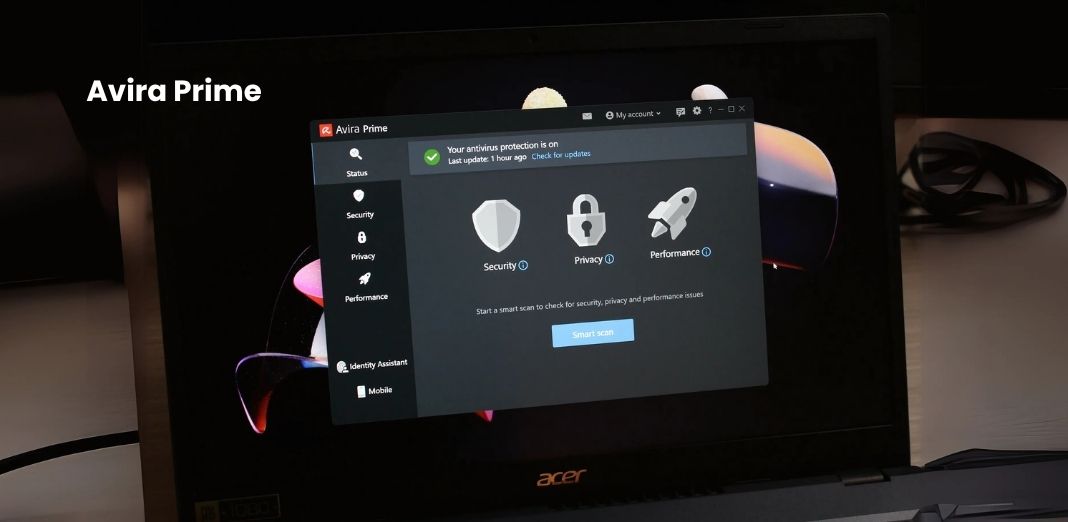
Avira offers great performance and cloud-based threat detection with minimal system load.
I used Avira for a few months and loved its lightweight nature. The interface is modern, and it includes a software updater.
Sophos is favored in business environments but has a home edition perfect for families.
I recommended Sophos to a friend with kids, and its remote management and family protection tools really stood out.
When selecting antivirus software in 2025, consider these factors:
| Rank | Software | Detection Rate | System Impact | Features | Value |
|---|---|---|---|---|---|
| 1 | Bitdefender Total Security | 99.9% | Low | Excellent | ⭐⭐⭐⭐⭐ |
| 2 | Norton 360 Deluxe | 99.8% | Low-Medium | Excellent | ⭐⭐⭐⭐☆ |
| 3 | McAfee Total Protection | 99.7% | Medium | Great | ⭐⭐⭐⭐☆ |
| 4 | ESET Smart Security | 99.5% | Very Low | Good | ⭐⭐⭐⭐☆ |
| 5 | Kaspersky Premium | 99.9% | Low | Great | ⭐⭐⭐⭐☆ |
| Feature | Bitdefender | Norton 360 | McAfee | ESET | Kaspersky |
|---|---|---|---|---|---|
| Real-time Protection | ✅ | ✅ | ✅ | ✅ | ✅ |
| VPN Included | ✅ (Limited) | ✅ | ✅ | ❌ | ✅ |
| Parental Controls | ✅ | ✅ | ✅ | ❌ | ✅ |
| Password Manager | ✅ | ✅ | ✅ | ✅ | ✅ |
| System Performance Impact | Low | Low | Medium | Very Low | Low |
| Free Version Available | ❌ | ❌ | ❌ | ✅ | ✅ |
Modern antivirus software is designed to counter a wide range of digital threats, including:
Reputable testing labs like AV-Test, SE Labs, and AV-Comparatives are essential resources for unbiased antivirus evaluations.
For casual users, free antivirus software can provide a basic layer of protection against common threats such as malware, adware, and some phishing attempts. These free solutions are ideal for light users who primarily browse the web, check emails, or use devices infrequently.
Notable and reliable free versions include:
While free antivirus tools can be sufficient for minimal users, they typically lack many of the advanced capabilities that today’s digital environment demands. Features often missing in free versions include:
Additionally, free antivirus programs may include advertisements or prompts to upgrade to paid plans. Some might collect anonymized user data to support their freemium model.
If you engage in online shopping, conduct financial transactions, store sensitive documents, or work remotely, a premium antivirus is highly recommended. Premium software not only enhances your protection but also offers peace of mind through proactive defenses and a broader security suite that free solutions simply don’t provide.
In 2025, where cyber threats are more evasive and harmful than ever before, free antivirus solutions serve as an entry-level shield—not a complete security strategy.
While many options are strong contenders, Bitdefender Total Security emerges as the most recommended antivirus for 2025. It provides industry-leading protection with a sleek interface and valuable extras at a competitive price.
For identity and data protection, Norton 360 Deluxe is a close second. If you’re covering multiple devices on a budget, McAfee Total Protection offers great value.
Your digital safety is not a luxury—it’s a necessity. As cyber threats grow more advanced, so should your defense. Whether you’re protecting a single laptop or a household full of gadgets, investing in top-tier antivirus software is the smartest decision you can make.
In 2025, security is all about balance: protection, performance, features, and value. And with options like Bitdefender, Norton, and McAfee leading the charge, peace of mind is just a download away.

Pinal Bhalodia is a multi-faceted professional with a diverse skill set spanning creative website design, Google Adwords, Search Engine Optimzation , IT expertise, and sales acumen. With a passion for blending technology with artistic flair, Pinal has carved a niche for himself in the dynamic intersection of these fields.



 Rated 4.99/5 overall
across 100+ reviews
Rated 4.99/5 overall
across 100+ reviews