SEO & Lead Generation
  Google Adwords Management
 Social Media Management
 Ecommerce Marketing
 WordPress & Shopify Services
 Website & App Designing
  Website Speed Optimization
  Website Hosting Services
  Amazon PPC Marketing
  Landing Page Designing
 Logo Designing Services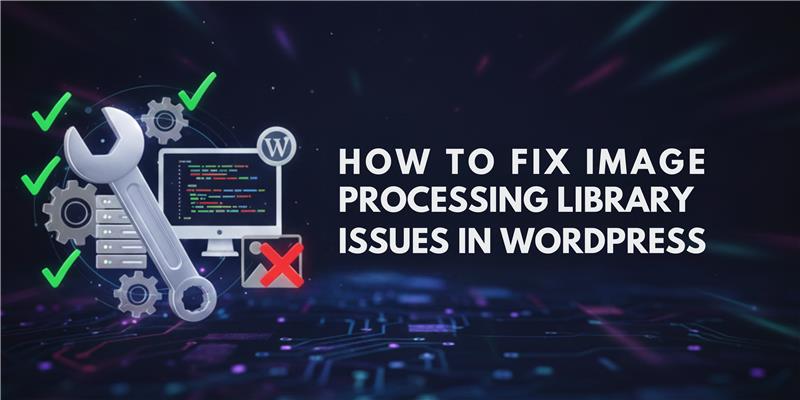

 ×
×

Images are a core element of every modern WordPress website. They enhance content readability, improve user engagement, and play a crucial role in SEO performance. However, when WordPress fails to process images correctly, it can lead to broken layouts, slow pages, and ranking drops. One of the most common technical problems responsible for this is the image processing library issue in WordPress.
This issue occurs when WordPress cannot properly access or use its required image processing libraries—GD Library or Imagick. As a result, images may fail to upload, thumbnails may not generate, and media optimization features may stop working entirely.
At Kleverish, we regularly troubleshoot WordPress technical and performance issues for business websites, and image processing errors are among the most frequent problems we encounter. This guide explains the issue in depth, provides practical fixes, and shows how resolving it can significantly improve your website’s SEO and performance.
WordPress itself does not process images. Instead, it relies on server-side PHP extensions known as image processing libraries. These libraries are responsible for resizing images, generating thumbnails, compressing files, and converting image formats.
WordPress supports two primary image processing libraries: GD Library and Imagick. When an image is uploaded, WordPress checks which library is available and uses it to create multiple image sizes required by themes, plugins, and responsive layouts.
If neither library is available or working correctly, WordPress cannot complete basic image operations. This is when an image processing library issue in WordPress occurs.
In most cases, image processing library issues are not caused by WordPress itself but by the hosting environment or server configuration. Many users assume the problem is due to themes or plugin settings, but in reality, the root cause is usually technical at the server level. Understanding these causes can help you troubleshoot efficiently and prevent recurring issues.
WordPress relies heavily on GD Library or Imagick to handle all image-related operations such as resizing, cropping, compressing, and generating thumbnails. If these extensions are missing, outdated, or disabled on the server, WordPress cannot process images properly.
Even if the extensions appear installed in your hosting control panel, they may not be enabled for the active PHP version your site is running. This mismatch often results in upload errors, missing thumbnails, and broken featured images, especially when working with high-resolution images or multiple media uploads.
Tip: Always confirm with your hosting provider that GD or Imagick is active for your WordPress site and compatible with the current PHP version.
Processing images is a memory-intensive operation. Large banners, featured images, or WooCommerce product photos require significant server resources to resize and compress. If your PHP memory limit is too low, WordPress may fail silently during these operations, causing images to not display correctly.
This issue is especially common in shared hosting environments, where memory is limited and multiple websites share resources. Increasing the PHP memory limit via php.ini or the hosting control panel often resolves these issues. At Kleverish, we routinely adjust memory limits for clients to ensure smooth image uploads without errors.
Image optimization plugins, lazy loading tools, and CDN integrations can sometimes override WordPress default image handling, causing conflicts with GD or Imagick. When combined with server resource restrictions—like limited CPU, memory, or execution time on shared hosting—these conflicts often result in failed image uploads or incomplete media generation.
To troubleshoot:
These steps ensure that WordPress can properly process images without plugin interference or resource bottlenecks.
An image processing library issue in WordPress can cause multiple media-related problems that affect website performance, user experience, and SEO. Identifying these signs early helps prevent long-term issues such as slow page load times or missing visual content.
Common symptoms include failed image uploads, broken thumbnails, or issues with image resizing and cropping. High-resolution images are usually the first to trigger errors, particularly on websites with limited PHP memory or shared hosting resources.
By monitoring these signs, you can proactively fix image processing library issues and maintain both visual consistency and search engine performance on your WordPress site.
WordPress supports two main image processing libraries: GD Library and Imagick. Both are compatible, but they differ in performance, image quality, supported formats, and server resource usage. Choosing the right library impacts website speed, visual quality, and SEO performance.
Summary: GD Library is reliable for small-scale WordPress sites where simplicity and speed are prioritized over advanced image quality.
Summary: Imagick is the preferred choice for professional WordPress websites where high-quality visuals, scalability, and SEO optimization are essential.
At Kleverish, we generally recommend Imagick for long-term performance and SEO benefits, while GD Library remains suitable for smaller, low-traffic sites.
Before comparing GD Library and Imagick, note that both handle WordPress image processing but differ in performance, quality, and best use cases. Choosing the right library affects your site speed, image clarity, and SEO.
| Feature | GD Library | Imagick |
| Availability | Enabled on most servers | Requires installation |
| Image Quality | Standard | High-quality output |
| Performance | Fast for small images | Optimized for large images |
| Supported Formats | Limited | Wide format support |
| Resource Usage | Low | Moderate to high |
| Best Use Case | Blogs and small sites | Media-heavy and eCommerce sites |
Before applying fixes, it is important to identify which image processing library is active on your WordPress site. The WordPress Site Health tool provides detailed media handling information, including the active image processing library.
Advanced users can also check server extensions using a phpinfo file or hosting control panel.
When WordPress cannot process images correctly, targeted server-level fixes are required. Below are the most effective actions used to resolve image processing library issues.
These steps resolve the majority of image processing library issues in WordPress environments.
Hosting quality has a direct impact on how WordPress processes images. Shared hosting environments often limit server resources, disable Imagick, or restrict PHP memory usage.
Managed WordPress hosting and VPS environments provide better control, higher limits, and more reliable image handling. At Kleverish, we frequently fix persistent image issues by improving hosting configurations.
Image processing library issues can quietly damage your website’s SEO. When images fail to load or generate correctly, page speed decreases and Core Web Vitals scores suffer.
Broken thumbnails, missing featured images, and failed image indexing reduce click-through rates and user engagement. Fixing the image processing library issue in WordPress improves page performance, image visibility, and overall organic rankings.
Preventing image processing library issues in WordPress requires a proactive approach to maintain website performance, SEO, and user experience. Implementing the following practices can help you avoid upload failures, broken thumbnails, and slow page load times:
By following these steps, you can ensure smooth image handling, maintain website speed, and protect your SEO performance over the long term.
An unresolved image processing library issue in WordPress can silently affect your website’s performance, SEO, and user experience. While technical, the solution often involves straightforward server improvements.
At Kleverish, we specialize in resolving WordPress technical issues that impact performance and search visibility. If image upload or processing problems persist, a professional audit can help restore stability and SEO strength.

Working as a Frontend Developer at Kleverish has been an enriching and valuable experience. I have worked on real-world UI components, responsive layouts, and strengthened my skills in HTML, CSS, and JavaScript. The team has been incredibly supportive, helping me dive deeper into modern frontend practices such as performance optimization, clean code architecture, and improved development workflows. My role at Kleverish has significantly enhanced my technical expertise and overall understanding of professional frontend development.



 Rated 4.99/5 overall
across 100+ reviews
Rated 4.99/5 overall
across 100+ reviews