SEO & Lead Generation
  Google Adwords Management
 Social Media Management
 Ecommerce Marketing
 WordPress & Shopify Services
 Website & App Designing
  Website Speed Optimization
  Website Hosting Services
  Amazon PPC Marketing
  Landing Page Designing
 Logo Designing Services

 ×
×

In today’s digital-first world, visuals play a powerful role in shaping how users perceive a website. High-resolution images help create a strong first impression, communicate professionalism, and keep visitors engaged. At Kleverish, we work with businesses, bloggers, startups, and eCommerce brands where visual quality is just as important as performance.
However, while high-resolution images enhance aesthetics, they can also become one of the biggest reasons for slow website performance if not handled correctly. Large image files increase page load times, harm user experience, and negatively impact SEO rankings.
Google now places strong emphasis on page speed, mobile performance, and Core Web Vitals, making image optimization a critical part of WordPress website management. A visually stunning website that loads slowly will struggle to retain visitors or rank well in search results.
In this Kleverish guide, we’ll explore how to use high-resolution images in WordPress efficiently without slowing down your website, helping you strike the perfect balance between design quality and performance.
High-resolution images play an essential role in building brand perception and engaging users. They enhance clarity, improve storytelling, and help businesses communicate trust and professionalism.
High-quality visuals mainly help by:
At Kleverish, we’ve observed that websites using well-optimized, high-quality images consistently outperform competitors in terms of user trust and interaction. However, when images are not optimized, they quickly become a performance bottleneck.
High-resolution images contain a large number of pixels, which results in sharper detail and better clarity. These images are commonly used across WordPress websites, especially in visually important sections such as hero banners, product displays, blog featured images, and landing pages.
To manage high-resolution images effectively, it’s important to understand how resolution, file size, and dimensions work together. Resolution refers to the number of pixels in an image, file size determines how heavy the image is, and dimensions control how large the image appears on the screen.
A common issue Kleverish identifies during WordPress audits is the direct upload of large camera or design-export images without resizing or compression. This results in unnecessarily heavy pages and poor performance.
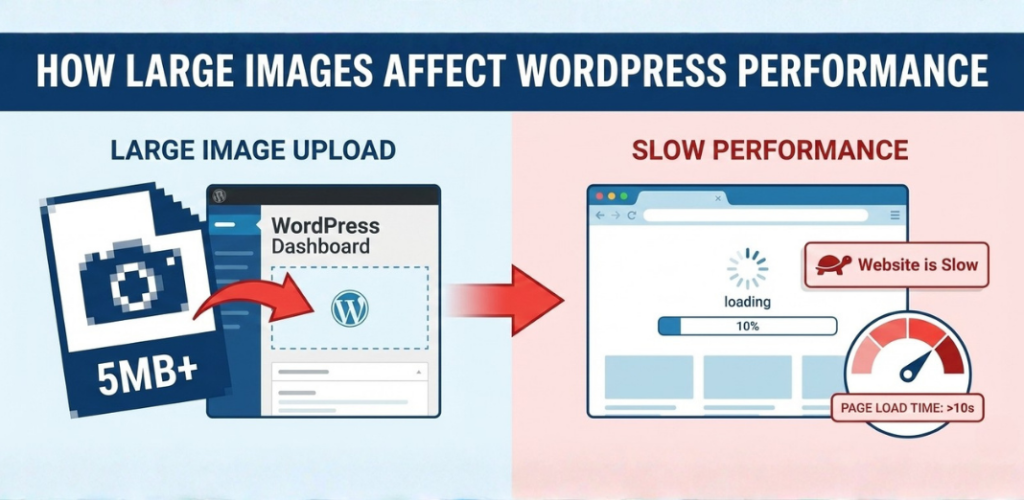
Unoptimized images are one of the leading causes of slow WordPress websites. Since images often make up the largest portion of a webpage’s total size, even a few heavy images can delay page rendering.
Large images are especially problematic for:
At Kleverish, image size is consistently among the top contributors to WordPress performance issues.
Images have a direct impact on Google’s Core Web Vitals. A large hero image that loads slowly can negatively affect Largest Contentful Paint (LCP), while images without defined dimensions can cause layout shifts that harm Cumulative Layout Shift (CLS). Heavy images also increase page complexity, reducing responsiveness and affecting Interaction to Next Paint (INP).
This is why Kleverish prioritizes image optimization when working on performance-focused WordPress websites.
Users expect fast-loading pages. Research consistently shows that visitors abandon websites that take longer than three seconds to load. Unoptimized images directly increase bounce rates, reduce engagement, and negatively affect search engine rankings.
Page speed is a confirmed ranking factor, meaning even well-written content can struggle to rank if image-heavy pages load slowly.
Resizing images before uploading is one of the simplest and most effective optimization techniques. When images are uploaded at the correct size, WordPress can generate optimized versions without unnecessary processing.
At Kleverish, we typically recommend:
Uploading oversized images, such as 4000px-wide files for smaller display areas, wastes bandwidth and hurts performance without improving quality.
Image compression reduces file size while maintaining visual clarity. For most websites, lossy compression is ideal, as it slightly reduces quality in a way that is not noticeable to users.
Kleverish commonly uses a 60–80% compression range, which can reduce image file size by 50–70% while preserving sharpness and professionalism.
Modern formats such as WebP and AVIF offer better compression and quality than traditional JPG and PNG files. These formats allow images to load faster while maintaining excellent detail.
Kleverish prefers modern formats because they:
WordPress now supports WebP natively, making implementation easier than ever.
Lazy loading delays image loading until they are needed, improving initial page speed and reducing bandwidth usage. WordPress includes native lazy loading, but Kleverish often enhances this using optimization plugins.
At the same time, WordPress automatically serves responsive images using srcset, ensuring the best image size is delivered based on the user’s device. Together, these features ensure faster load times and consistent performance across all screen sizes.
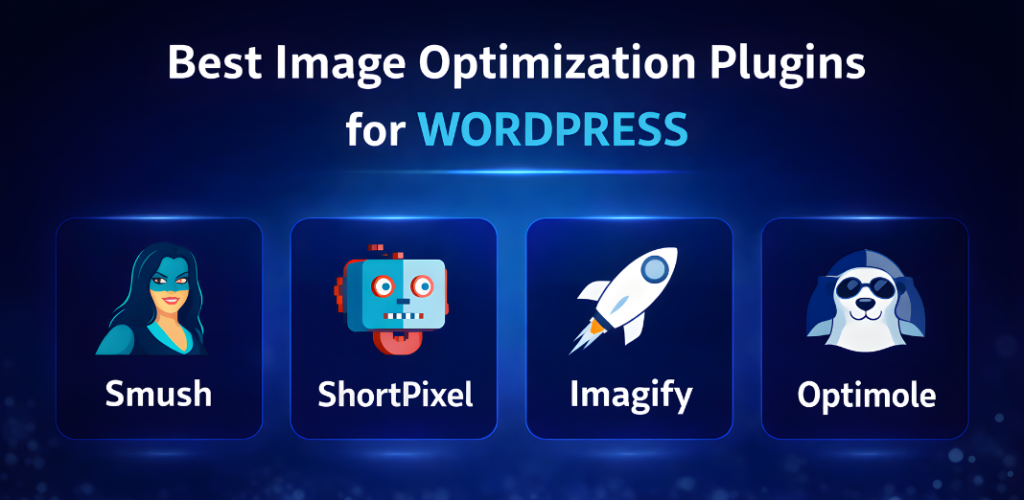
Image optimization plugins simplify compression and format conversion without technical complexity. Popular options include:
Kleverish recommendation:
Use only one image optimization plugin at a time to avoid conflicts and performance issues.
Beyond basic optimization, Kleverish implements advanced techniques such as Content Delivery Networks (CDNs) to serve images from the nearest server location. Important images like hero banners may also be preloaded for faster rendering, while server-level caching and optimized hosting further improve image delivery speed.
Image optimization is a key part of WordPress SEO and plays an important role in improving search engine rankings, site speed, and user experience. When images are optimized properly, they help search engines understand your content better—especially when using SEO plugins like Rank Math or Yoast SEO.
Key Image SEO Points:
Following these image SEO best practices helps WordPress websites achieve faster loading speeds, better visibility in search results, and an improved user experience—leading to higher engagement and stronger SEO performance.
Many WordPress performance issues stem from avoidable mistakes, including:
Avoiding these issues can significantly improve page speed and stability.
When images are optimized correctly, they significantly improve WordPress website performance, page speed, and search engine visibility:
At Kleverish, we’ve seen strategic image optimization deliver measurable gains in organic traffic, engagement metrics, conversion rates, and WordPress SEO performance by creating faster, more search-friendly websites.
High-resolution images are essential for modern WordPress websites—but only when optimized correctly. By resizing images, compressing files, using modern formats, and enabling smart loading techniques, you can achieve visually stunning designs without sacrificing speed.
At Kleverish, we believe design and performance must work together. A fast, visually appealing website not only ranks better but also delivers a superior user experience that builds trust and drives results.

Working as a Frontend Developer at Kleverish has been an enriching and valuable experience. I have worked on real-world UI components, responsive layouts, and strengthened my skills in HTML, CSS, and JavaScript. The team has been incredibly supportive, helping me dive deeper into modern frontend practices such as performance optimization, clean code architecture, and improved development workflows. My role at Kleverish has significantly enhanced my technical expertise and overall understanding of professional frontend development.



 Rated 4.99/5 overall
across 100+ reviews
Rated 4.99/5 overall
across 100+ reviews